The short version
The Google Business Profile GA4 integration is a native link, released in June 2026, that pulls seven local performance metrics from your Business Profile into Google Analytics 4. It puts calls, directions, bookings, and other Google Search and Maps actions next to your website data, with no tracking code and about five minutes of setup. It is a visibility upgrade, not an attribution engine: the data is aggregated, kept for six months, and cannot be used in Explorations.
- Link Business Profile to GA4 under Admin, then Product links. No tags.
- Read the seven metrics; calls and directions are the high-intent ones.
- Link at the root property, because subproperties do not receive the data.
- Export to Looker Studio or BigQuery before six-month retention drops it.
- Keep UTM tags on the profile website link so clicks segment downstream.
- Pair GA4 with reviews and Q&A, which still live in the Profile dashboard.
- Strengthen the entity signals behind these metrics to earn AI citations.
Google linked Business Profile to GA4. See the 7 local metrics now inside Analytics, the limits to plan around, and how to turn them into AI search wins. The goal is not to chase every AI tool. The goal is to build a useful marketing system that a real team can understand, repeat, and improve.
What is the Google Business Profile and GA4 integration?
It is a direct connection between your Google Business Profile and a GA4 property. Once you link them, a Google Business Profile collection appears in your GA4 reports and shows how people act on your profile, not just on your website. Before June 2026, those two worlds lived apart: profile activity sat in Business Profile, website activity sat in Analytics, and nobody saw them together.
The launch rolled out gradually between June 8 and 10, 2026, according to Google's changelog and trade coverage. Some accounts saw the option right away, others waited weeks. There is no code to add. You create the link inside GA4 Admin, and the metrics start showing in your Standard Reports. For a plumber, a dentist, or a five-location restaurant group, this is the first time the actions that drive real revenue, like phone calls and direction requests, show up in the same place as the website traffic.
Which Google Business Profile metrics show up in GA4?
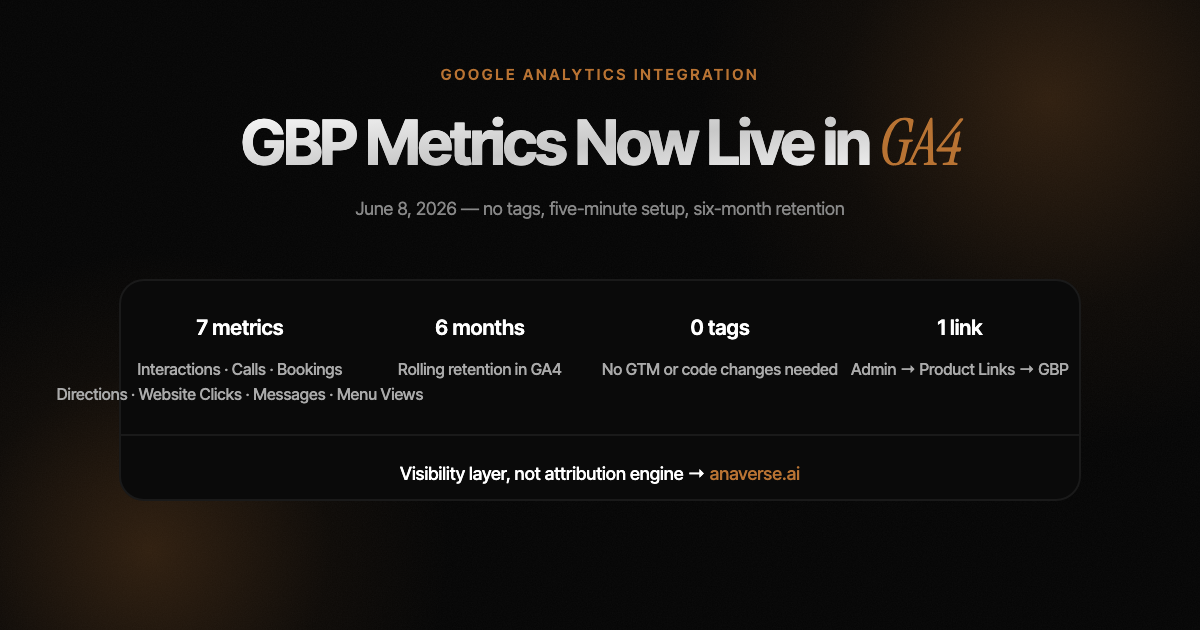
Seven metrics flow in: interactions, website clicks, phone calls, direction requests, messages, bookings, and menu views. Six of those seven were effectively invisible to Analytics before. Only website clicks could be tracked, and only if you added UTM tags to your profile link by hand. Calls, directions, bookings, and messages all happened on Search and Maps and left no trace in GA4.
According to multiple analytics platforms that covered the rollout, including GA4 Optimizer and EasyInsights, GA4 shows all seven rows regardless of business type, so a law firm still sees an empty menu views line. The point is simple: the high-intent actions, calls and directions, are finally on the dashboard.
| Metric | What it tells you | Buyer intent |
|---|---|---|
| Interactions | Total profile engagement | Awareness |
| Website clicks | Clicks from profile to your site | Consideration |
| Messages | Chats started from the profile | Consideration |
| Menu views | Menu or service list views | Consideration |
| Phone calls | Calls placed from the profile | High |
| Direction requests | People routing to your address | High |
| Bookings | Appointments scheduled | High |
How do you connect Google Business Profile to GA4?
Setup is admin-only and takes minutes. In GA4, go to Admin, then Product links, then Google Business Profile links, then create the link. You need an Editor or Administrator role on the GA4 property and an Owner or Manager role on the Business Profile. One GA4 property can link to several profiles. There are no tags, no gtag.js edits, and no Google Tag Manager workarounds.
A few setup notes save headaches later. Link at the root GA4 property, because subproperties do not receive Business Profile data. If you manage multiple locations, expect the numbers to arrive combined, not split by store. And keep using UTM parameters on your profile's website link, since website clicks are the one metric that carries into the rest of your funnel where you can still segment behavior.
What are the limits you should know before you report on it?
This is a visibility upgrade, not an attribution engine. It shows that local demand exists. It does not tell you which campaign caused it. Google is explicit about the constraints, and missing them leads to reports nobody trusts.
As BrightLocal and Vizup both noted in their 2026 coverage, multi-location brands still need the Business Profile Performance API or an external dashboard for location-level detail. The practical fix is to pipe the metrics into Looker Studio or BigQuery before the six-month window drops them, so your year-over-year story survives.
| Limit | What it means in practice |
|---|---|
| Aggregated only | Multiple profiles roll into one number. No per-location split in GA4. |
| Standard Reports only | Metrics cannot be used in Explorations, comparisons, or custom filters. |
| Six-month retention | Older ranges load only the last six months. Web events keep up to 14. |
| No campaign attribution | A spike in directions cannot be tied to a specific Local Ads push. |
| No subproperties | Link at the root property only. |
Why does this matter for AI search, AEO, and GEO?
Because the signals you can now see in GA4 are the same signals AI engines use to decide who to recommend. When someone asks ChatGPT, Gemini, or Google's AI Overviews for the best dentist near me, the engine leans on entity data: name, address, hours, reviews, photos, and real engagement across Search and Maps. Calls and direction requests are strong proxies for that real-world demand.
The timing is not a coincidence. Google also connected Business Profile to Gemini in the same window, so profiles can now be managed with AI, per BrightLocal's June 2026 report. Local presence and AI answers are converging. This is the core of answer engine optimization and generative engine optimization: being the business the AI names, not just the page that ranks. GA4 now gives you a feedback loop. You can watch local engagement rise as you strengthen the entity signals that earn AI citations. Measuring it in Analytics is step one. Getting named in the answer is the game.
What should you do with this if you run a local business?
Treat the link as the start of a system, not the finish line. Connect it today so the data starts collecting, then build around its limits. Five moves cover most of the value, and the last one is where most businesses are leaving visibility on the table.
- Link at the root property and export to Looker Studio, so six-month retention never erases your history.
- Keep UTM tags on the profile website link so those clicks segment downstream.
- Pair the GA4 view with the metrics still outside it: reviews, photos, and Q&A in the Business Profile dashboard and Performance API.
- Correlate, do not conclude. A rise in directions plus a rise in branded search is a real story; a rise in directions alone is one data point.
- Connect the dots to AI search, because the reviews and entity data driving these numbers also decide whether AI assistants cite you.
FAQs
Questions this resource answers
When did Google launch the GA4 Business Profile integration?
+
Google rolled it out gradually between June 8 and 10, 2026, based on Google's changelog and trade coverage. Availability was staggered, so some accounts saw the link option immediately while others waited a few weeks.
Does connecting Business Profile to GA4 require Google Tag Manager or code?
+
No. The link is created in GA4 Admin under Product links, then Google Business Profile links. There are no tags, no gtag.js edits, and no Tag Manager steps. You need Editor or Administrator access on the property and Owner or Manager access on the profile.
Can I segment Business Profile data by location in GA4?
+
No. If several profiles link to one GA4 property, the metrics are combined into a single number with no per-location dimension. For location-level detail, use the Business Profile dashboard or the Performance API.
How long is Business Profile data kept in GA4?
+
Six months, on a rolling window. Standard GA4 web events can be retained up to 14 months. To compare year over year, export the metrics to Looker Studio or BigQuery before the window drops the older data.
Does this replace Google Business Profile Insights or the Performance API?
+
No. It complements them. Reviews, star ratings, photo views, posts, and Q&A still live in the Business Profile dashboard and the Performance API. The GA4 link only brings the seven interaction metrics into Analytics.
Can I use the metrics in GA4 Explorations?
+
No. Business Profile metrics are limited to Standard Reports. They cannot be used in Explorations, comparisons, custom filters, or subproperties. Anything beyond standard reporting needs an external tool.
Does connecting GBP to GA4 help with AI search?
+
Indirectly, yes. The engagement metrics are proxies for real-world demand, and the entity signals behind them, like reviews and consistent activity, also influence which local businesses AI assistants cite and recommend.
Free kit
The reviews and entity data behind these metrics also decide whether ChatGPT, Gemini, and Google's AI answers name your business. Run the free AI Search Audit to see how findable and citable you are, and the first thing to fix. It takes about a minute. Run the free audit→
One useful AI tool a week
Short notes. Practical systems. No daily emails.